













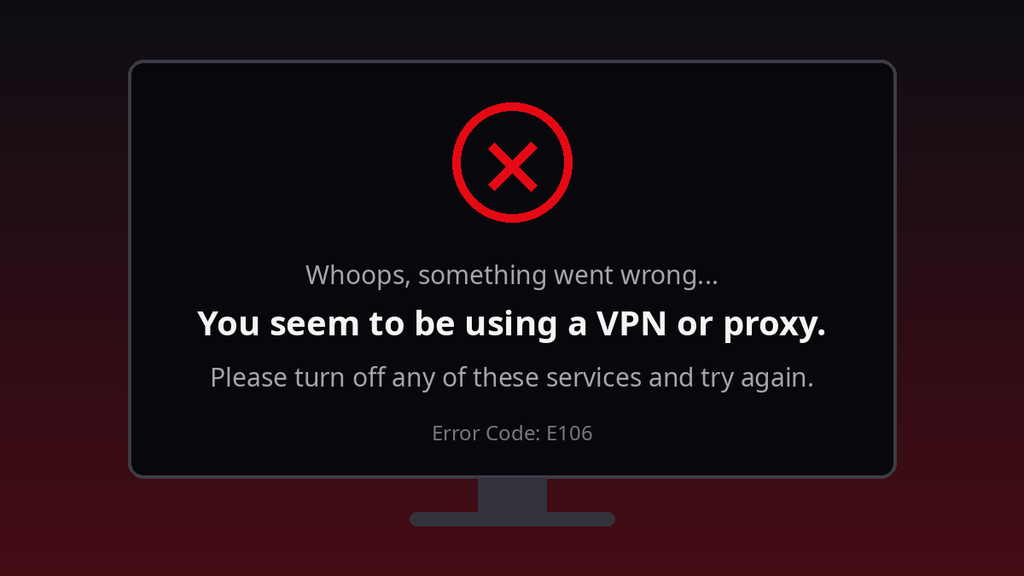
You sit down, open Netflix, press play, and get this: “You seem to be using a VPN or proxy. Please turn off any of these services and try again.” Sometimes it comes with the code E106.
The annoying part is that it also hits people who are not using a VPN at all. A shared network, a browser extension, or a privacy setting you forgot about can trigger it too.
Below are the fixes in the order I would try them, starting with the quick ones. Each one takes a few minutes at most.
What the error actually means
Netflix compares the IP address your connection uses with lists of addresses it knows belong to VPNs, proxies and data centers. If yours is on the list, it blocks playback. Netflix says on its own help page that VPN apps can make a device look like it is somewhere else and cause this error.
Two facts worth knowing before you start. Netflix does not support VPNs for live events or on its ad-supported plan. And no VPN can promise to work with Netflix every day, because Netflix keeps adding addresses to its block lists.
Fix 1: Check whether a VPN or proxy is really on
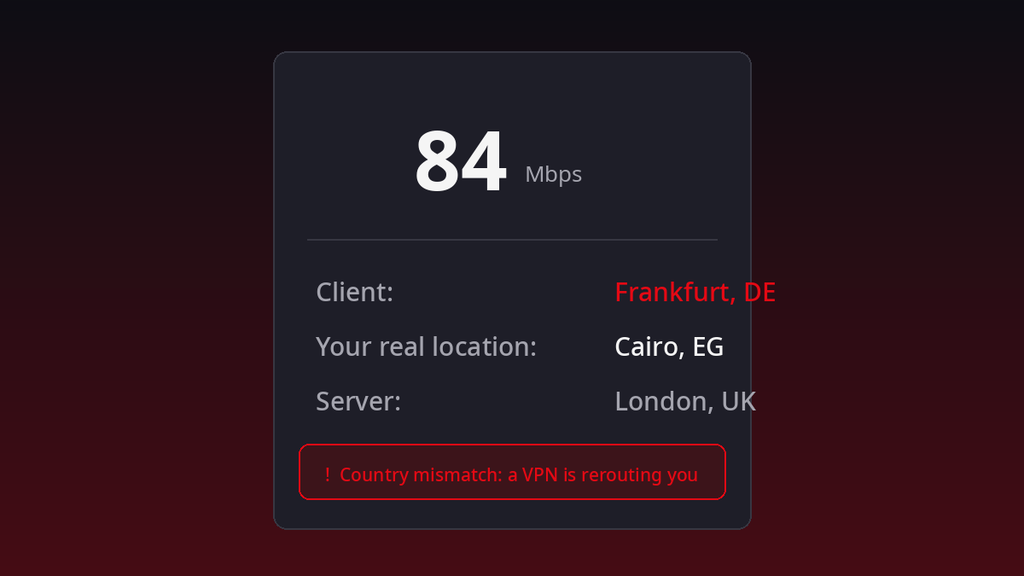
Open fast.com on the same network. When the test ends, click “Show more info” and look at the country next to “Client”. This is Netflix’s own test. If that country is not where you actually are, something on your device or network is routing your traffic elsewhere.
Things people forget about:
- A VPN bundled with your antivirus software
- A VPN set up on your router
- A browser extension, or a proxy set in your system network settings
- Apple iCloud Private Relay or a similar privacy feature on your phone or Mac
- A work or school VPN profile that is still active
Fix 2: Turn the VPN off and try again
If you are watching from your home country and just forgot the VPN was on, this is the whole fix. Turn it off, fully close the Netflix app, reopen it and press play.
A good habit: use the VPN for public Wi-Fi and banking, and switch it off for streaming you can already access.
Fix 3: Switch to a different server
If you do need the VPN, the server you are on may be one Netflix has already flagged. Disconnect, pick another server in the same country, ideally in a different city, and reload.
Servers get flagged because many people share them. A server that failed on Monday often works on Thursday, and the other way around.
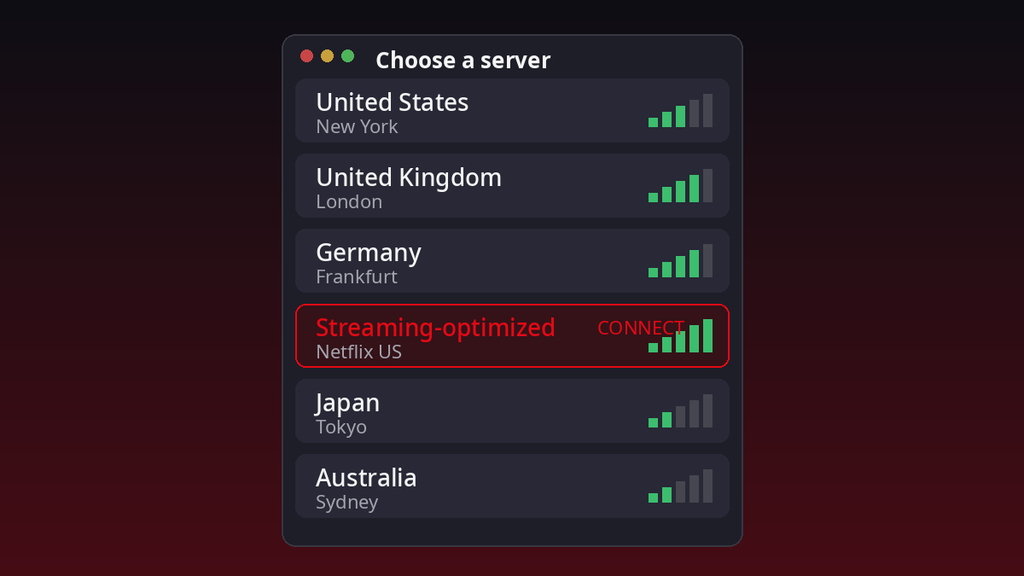
Fix 4: Use a streaming or dedicated-IP server if your VPN offers one
Some providers label servers for streaming, and some sell a dedicated IP address that only you use. A dedicated IP is less likely to share a list entry with thousands of other users. It usually costs extra, so check the price before you add it.
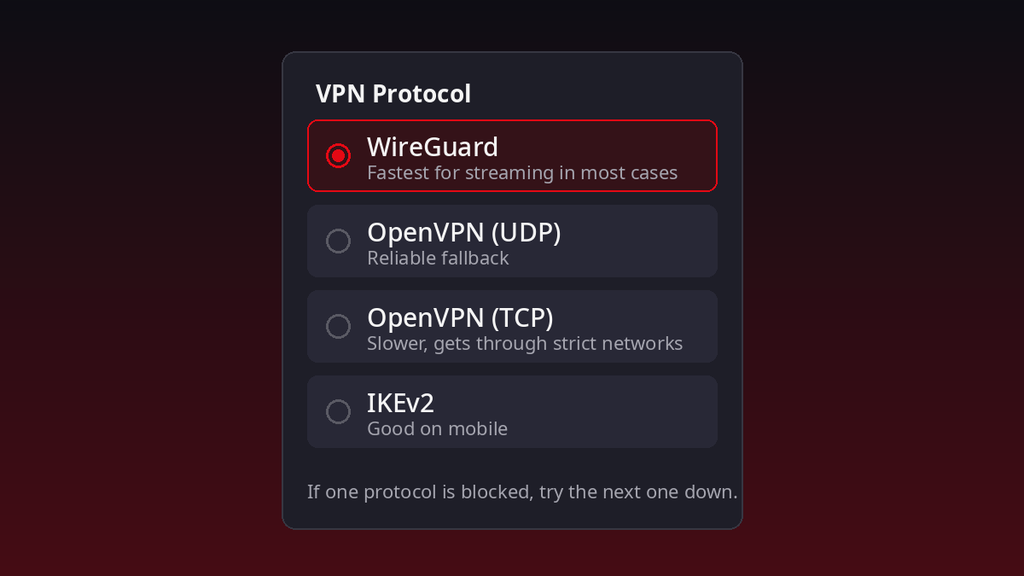
Fix 5: Change the VPN protocol
In the VPN app settings, switch protocol, for example from OpenVPN to WireGuard or the provider’s own protocol. This does not change what Netflix sees as your IP address, but it can fix a connection that is dropping or leaking, which sometimes shows up as this same error.
Fix 6: Clear the app data, restart, and check for leaks
On a phone or smart TV, clear the Netflix app cache or sign out and back in. In a browser, clear Netflix cookies, or try a private window with extensions off.
Then run a quick leak test while connected to the VPN. If your real IP or your own ISP’s DNS shows up, Netflix sees a mismatch. Turning on the leak protection or kill switch in your VPN app, and disabling IPv6 if the app suggests it, are the usual fixes.
Fix 7: Reset your network settings
This is one of the steps Netflix itself lists. Reset the network settings on the device with the problem. If that does not help, restart the router, and as a last step restore it to default settings. Write down your Wi-Fi password first. If a VPN connects but nothing loads at all, see our guide to fixing a VPN that is connected but has no internet.
If the fast.com test still shows the wrong country with no VPN on, call your internet provider. It can be a problem on their side.
Fix 8: Contact the VPN support, or change the VPN
Most good providers have live chat and will tell you which server currently works with Netflix. Ask them directly. If the answer is vague, or the chat keeps sending you to a help article, that is useful information too.
If you are choosing a VPN mainly for streaming, pick one with a money-back guarantee and test it on the day you buy, not on day 29. See our list of the best VPNs for Netflix and Amazon Prime.
What about free VPNs?
Free VPNs are the most likely to be blocked, because their few servers are shared by a lot of people. They also tend to have data caps that streaming eats up fast. Our guide to the best free VPNs for streaming covers which ones are worth a try for light use.
A note on the rules
Using a VPN is legal in most countries, but using one to watch content that is not licensed in your region goes against Netflix’s terms of use, and Netflix can block it. Check the rules where you live. This article is about fixing a blocked connection, not about getting around licensing.
Quick summary
- Run fast.com and see which country Netflix thinks you are in.
- Turn off any VPN, proxy, or privacy relay you do not need for this session.
- Try another server, then a streaming or dedicated-IP server.
- Change protocol, clear the app data, and check for leaks.
- Reset the network settings, then call your ISP if the country is wrong with no VPN.
- Ask your VPN support, or switch to a provider with a refund window.
FAQ
Why does Netflix say I am using a VPN when I am not? Shared networks, a router VPN, a leftover proxy setting, or a privacy feature like Private Relay can all look like a VPN. Fix 1 and Fix 7 cover these.
What is Netflix error E106? It is one of the codes shown with the “You seem to be using a VPN or proxy” message.
Can I use a VPN on Netflix on the ad-supported plan? Netflix says VPNs are not supported on the ad-supported plan or for live events.
Is there a VPN that always works with Netflix? No. Netflix updates its block lists, so any provider can have a bad week. That is why a refund window matters.